Stages
A stage is a discrete step in a workflow. Stages execute in order -- the output of one stage becomes context for the next. Each stage defines what work should be done, which agents participate, and how results are captured.
Stage Basics
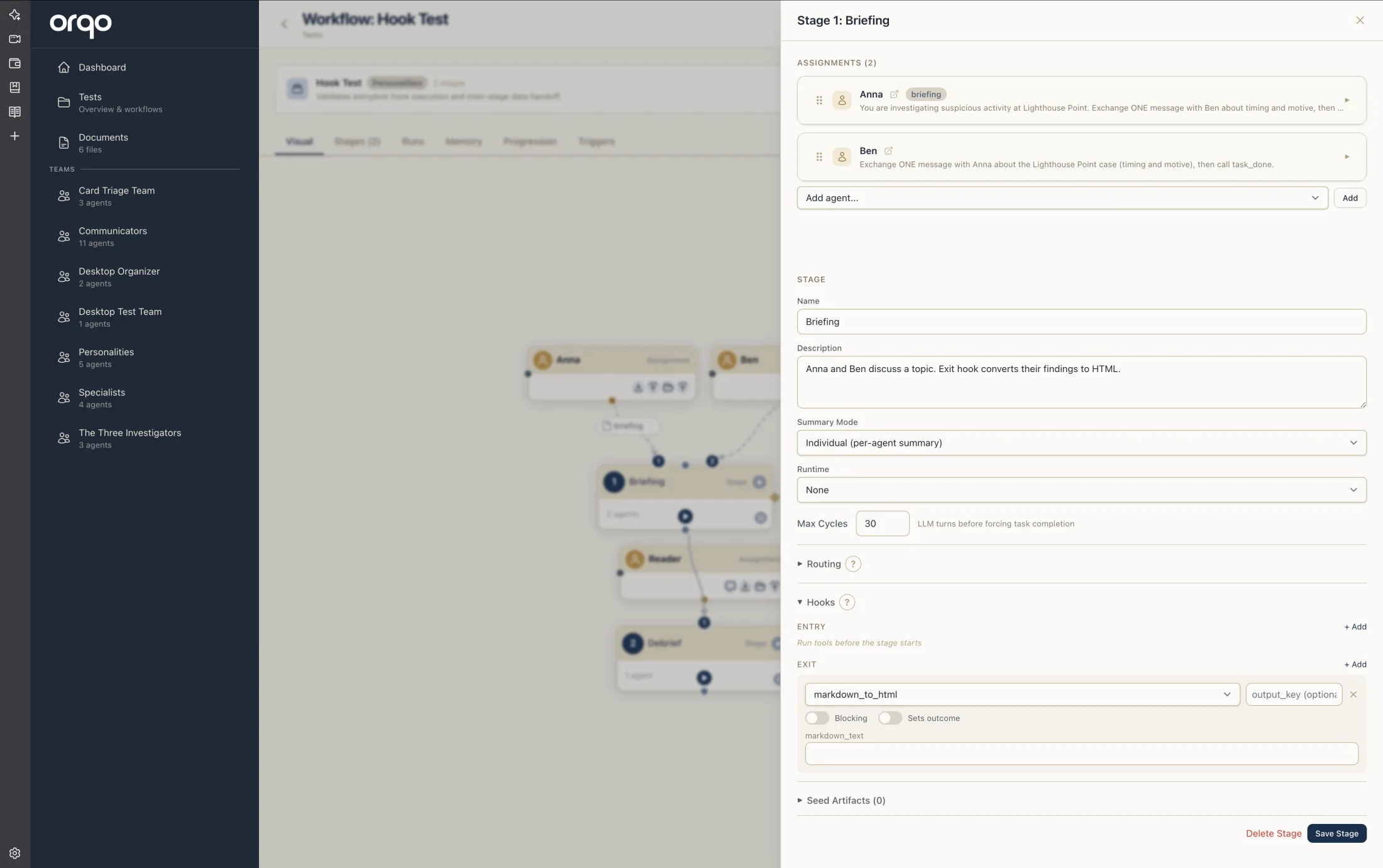
Every stage requires a name and a description:
- Name -- A short label displayed in the Workflow Builder and run logs (e.g., "Research", "Draft", "Review", "Publish").
- Description -- A detailed explanation of what the stage should accomplish. This is injected into the agent's context as the task description. Be specific about expected inputs, outputs, and quality criteria.
Stages are ordered by position within the workflow. By default, stages execute sequentially from lowest to highest position. This linear order can be modified with outcome routing.
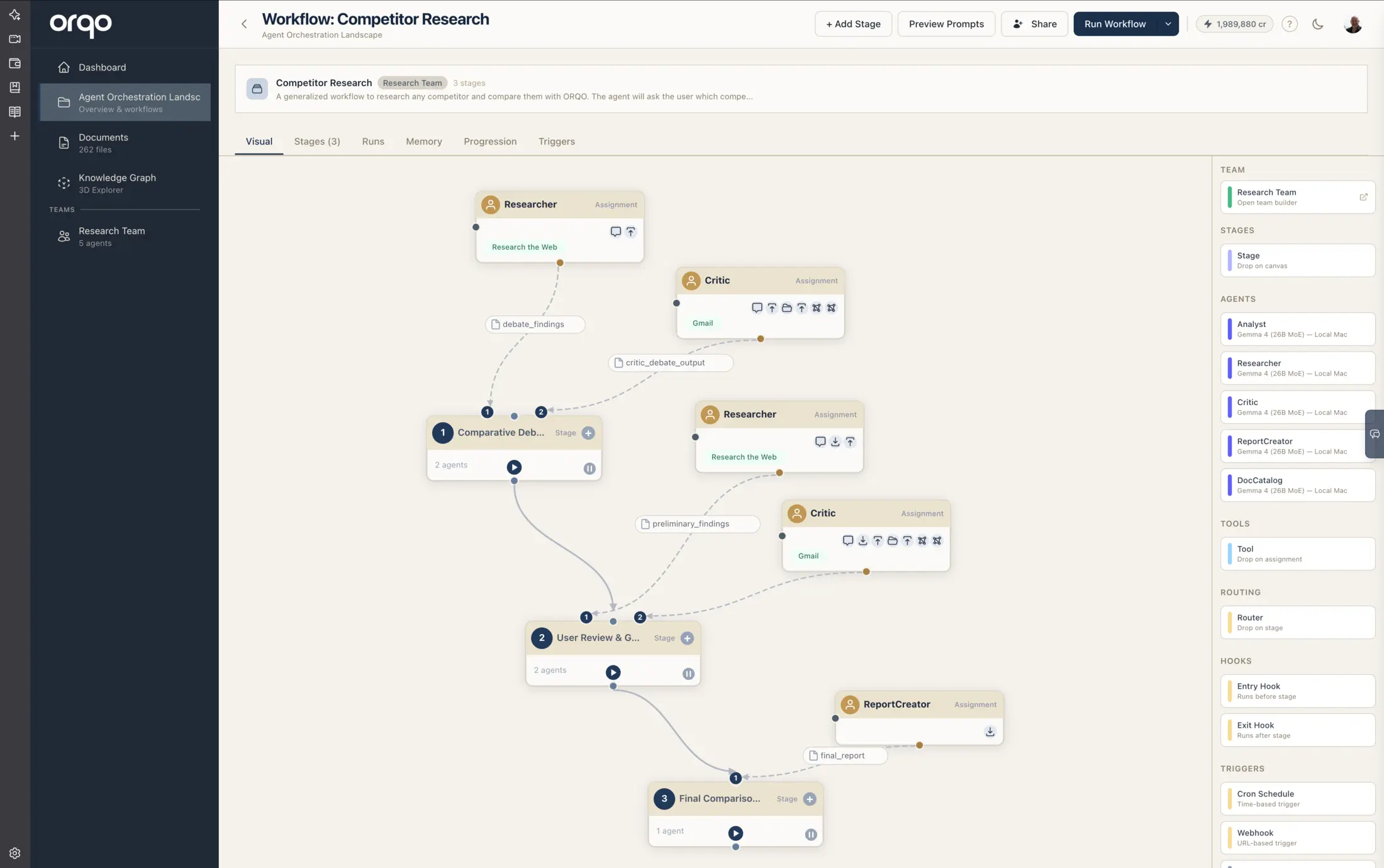
In the Workflow Builder, each stage card shows its name in a pill on the header bar (rather than an execution-order number) — with branching, stages are identified by name, not by a fixed step position.
Summary Mode
When a stage completes, the platform generates a summary of what happened. The summary mode controls how that summary is structured:
| Mode | Behavior |
|---|---|
| Individual | Each agent produces its own summary. Downstream stages see separate summaries per agent. This preserves individual perspectives and is useful when agents have distinct responsibilities. |
| Shared | A single collective summary is produced for the entire stage. Downstream stages see one unified result. This is simpler and works well when agents collaborate on a single output. |
The default is Individual.
Summary mode affects how downstream stages receive context from this stage. Choose Shared when the stage produces a single artifact (e.g., a written document) and Individual when each agent's perspective matters separately (e.g., a review stage where multiple reviewers give independent feedback).
Runtime Selection
A stage can optionally be assigned a runtime -- a sandboxed execution environment (e.g., a Python container). When set, agents in the stage have access to the runtime for executing code, running scripts, or performing file operations.
The Auto Manage Runtime toggle controls whether the platform automatically starts and stops the runtime when the stage begins and ends.
Capture Protocol
When capture protocol is enabled, the platform records detailed protocol logs of all agent interactions during the stage. This includes the full message history, tool calls, and intermediate results. Capture protocol is useful for debugging and auditing but increases storage usage.
Max Cycles
The max cycles setting is a safety limit on how many conversation cycles (agent turns) can occur within a single stage execution. If the agents exceed this limit, the stage is forcefully completed.
- Default: 30
- Use higher values for complex iterative tasks where agents need many rounds of discussion.
- Use lower values for simple, focused tasks to prevent runaway conversations.
Max Stage Visits
The max stage visits setting limits how many times a workflow can re-enter this stage via outcome routing. This prevents infinite loops when stages route back to earlier stages.
- Default: 5
- If the workflow routes back to this stage more than the allowed number of times, the loop is broken and execution continues to the next sequential stage.
See Outcomes & Routing for details on how routing and loop guards interact.
Field Reference
| Field | Required | Default | Description |
|---|---|---|---|
| Name | Yes | -- | Display label for the stage |
| Description | Yes | -- | Task description provided to agents |
| Position | No | Auto | Execution order within the workflow |
| Summary Mode | Yes | Individual | How stage results are summarized |
| Runtime | No | None | Optional sandboxed execution environment |
| Auto Manage Runtime | No | Off | Start/stop runtime automatically with the stage |
| Capture Protocol | No | Off | Record detailed interaction logs |
| Max Cycles | No | 30 | Maximum conversation cycles per execution |
| Max Stage Visits | No | 5 | Maximum re-entries via outcome routing |
| Outcomes | No | None | Possible stage results for routing decisions |
| Outcome Routing | No | None | Maps outcomes to target stages |
| Entry Hooks | No | None | Tools to run before the stage starts |
| Exit Hooks | No | None | Tools to run after the stage completes |
Stage Drawer in the Workflow Builder
Clicking a stage node in the Workflow Builder opens a drawer with the Assignments list pinned at the top, above a tab bar with three tabs -- Main, Routing, and Hooks:
- Assignments (pinned at the top) -- Agent assignments with ordering and task directives. See Assignments.
- Main tab -- Stage basics and limits:
- Stage -- Name, description, summary mode, and runtime.
- Limits -- The two safety caps: Max Cycles and Loop Guard (max stage visits).
- Seed Artifacts -- Artifacts from prior runs to seed into the stage.
- Routing tab -- Outcomes list and outcome routing configuration. See Outcomes & Routing.
- Hooks tab -- Entry and exit hooks. See Hooks.