Long-Term Memory
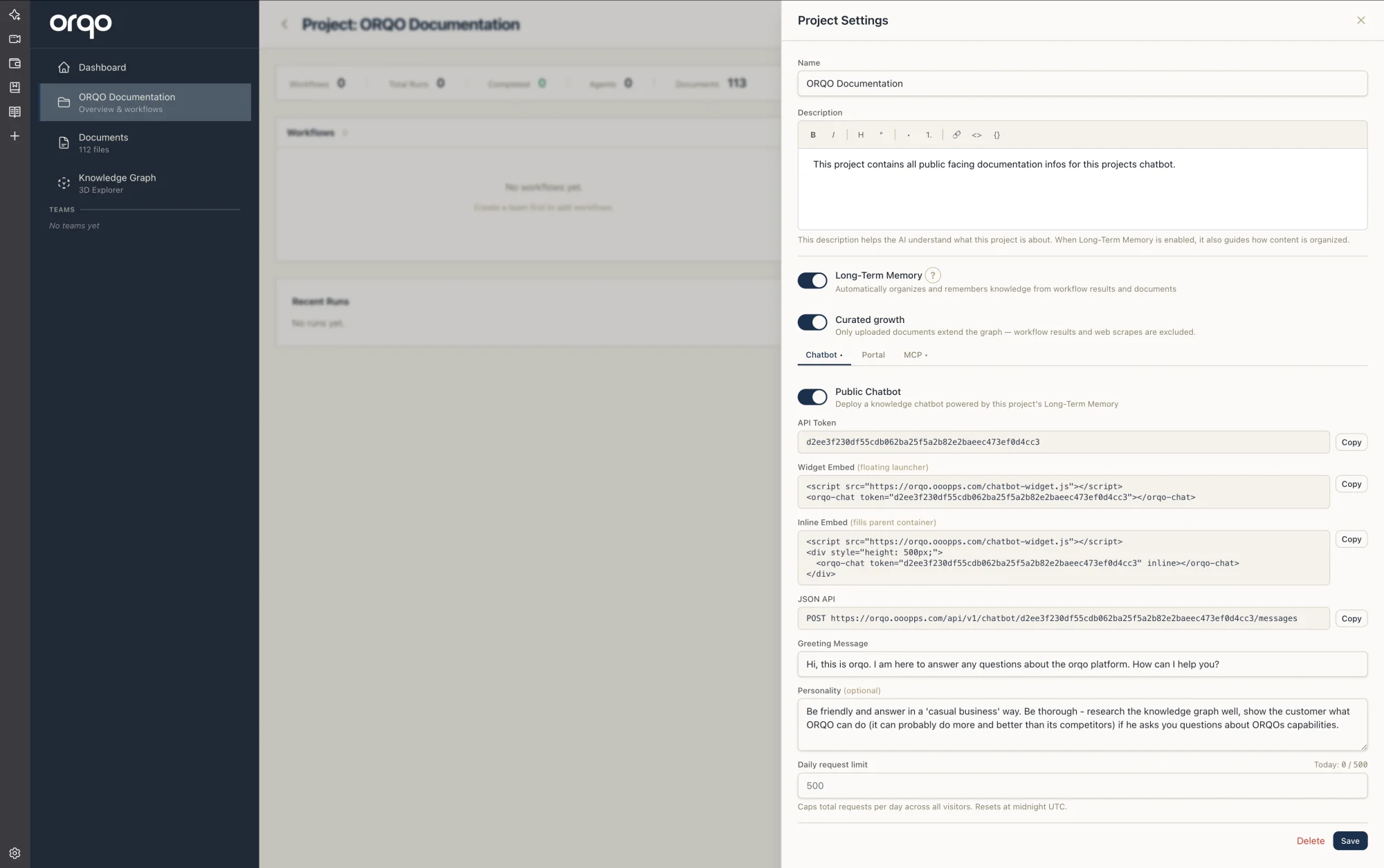
When you enable Long-Term Memory on a project, ORQO doesn't just store your content — it understands it. Every document, workflow result, and web capture is analyzed, classified, and woven into a knowledge graph that your agents can navigate like a structured library rather than a pile of text.
The key: ORQO's knowledge graph is built on a formal ontology — a scientific classification system that can semantically categorize any piece of knowledge, regardless of domain. Not ad-hoc tags. Not keyword matching. A peer-reviewed theory of how knowledge is structured.
This is fundamentally different from standard AI retrieval. Most platforms use RAG — Retrieval-Augmented Generation — which treats your documents as flat bags of text chunks and finds the most similar ones. Long-Term Memory goes beyond traditional RAG: it classifies every piece of content by what kind of knowledge it is, connects it through typed semantic relations, and lets agents traverse that structure — giving them structured reasoning over knowledge, not just text similarity.
The Practical Benefit: Fewer Requests, Lower Cost
The typed graph structure means an agent can reach the right information in just a few navigational steps — even across thousands of knowledge units. Instead of running dozens of broad similarity searches and sifting through loosely related chunks, the agent follows precise semantic edges: deeper, why, how, examples. Each step narrows the focus.
In practice, this translates directly to fewer LLM requests and fewer tokens consumed per research task. A RAG-based system might need 10+ retrieval-and-read cycles to piece together an answer from scattered chunks. With a navigable knowledge graph, the agent typically needs 2-3 targeted traversals to arrive at exactly the information it needs — because the structure tells it where to go next rather than forcing it to guess.
Passive Growth — The Key Principle
Long-Term Memory grows passively. Your agents don't need to be designed to store knowledge — they just do their work, and the graph grows as a side effect.
There are two ways the graph grows during a workflow:
-
Tool results — Every tool in ORQO carries two flags: enriches knowledge graph and requires extraction. When an agent runs a web search, fetches a document, or calls an API, the tool's output is automatically evaluated and — if worthy — classified and added to the knowledge graph. The agent never knows this happened.
-
Agent insights — When agents communicate with each other, their messages are automatically evaluated for knowledge value. If an agent synthesizes a conclusion, surfaces a factual finding, or produces an insight worth remembering, it's captured and classified into the graph. Short coordination messages are ignored — only substantive content makes it through.
Both paths run asynchronously in the background, never slowing down the workflow. Agents can also explicitly push knowledge into the graph using the StoreKnowledge tool, but the system doesn't require them to be that thoughtful. Over time, with every workflow run, every document upload, every web capture, and every meaningful agent conversation, the knowledge graph accumulates structured, classified, navigable knowledge — without anyone having to think about it.
What Happens When You Enable It
Toggle Long-Term Memory on your project page, and four things start happening automatically:
- Document uploads are classified and added to the knowledge graph.
- Tool results from workflow execution are captured passively — tools flagged as knowledge-enriching feed the graph every time they run.
- Web content captured by agents goes through the Knowledge Curator to strip boilerplate before classification.
- Agent conversations are monitored for knowledge value — when agents produce substantive insights during collaboration, those insights are captured and classified automatically.
Your agents gain access to the QueryKnowledgeGraph tool — they can search, inspect, and navigate the graph through 11 structured directions.
Write a clear, specific project description — it guides the system on what topics matter and what to ignore.
Turning Long-Term Memory on doesn't only affect files added afterward — it classifies the documents already in the project's library. So the natural flow works: sync or upload your files, organize them into folders, and then enable Long-Term Memory. The whole library gets indexed into the knowledge graph in one pass, not just whatever you add next.
_archive to keep them out of memoryAny folder named _archive (case doesn't matter — _Archive works too) is treated as dead storage. Documents inside one — at any depth, e.g. research/_archive/old-spec.pdf — stay listed in the library and downloadable, but they are never classified, never extracted, and never fed into the knowledge graph. Move a file in, and if it had already been classified, its knowledge units are purged from the graph automatically. This is the clean way to retire content without deleting it: you keep the file, but agents stop seeing it.
Classifying content and building the knowledge graph requires LLM calls — every document that enters the system goes through a multi-pass classification pipeline that consumes tokens. This is why Long-Term Memory is a per-project setting, not a global default. Enable it on projects where structured knowledge accumulation adds real value, and keep it off for projects that don't need it.
The upside: what you spend upfront on classification, you save many times over on inference. Agents querying a structured graph reach the right answer in far fewer calls than re-reading raw documents for every question — so the one-time classification cost is amortized across every downstream workflow run and chatbot answer.
The Knowledge Graph
Under the hood, Long-Term Memory is powered by a knowledge graph — a network of classified knowledge units connected by typed relations. This is what gives it structure and navigability.
Why Not Just RAG?
| Capability | Standard RAG | ORQO Long-Term Memory |
|---|---|---|
| Retrieval | Similarity search on embeddings | Similarity search plus typed graph traversal |
| Structure | Flat chunks, no relationships | 54 knowledge types across 4 epistemological classes |
| Navigation | None — each query is independent | 11 directions (deeper, broader, why, how, examples...) |
| Relations | None or generic "related to" | 48 typed semantic relations (causal, hierarchical, temporal...) |
| Classification | None — content is what it is | Every unit classified by function: orient, explain, guide action, or reference |
| Context | Lost between queries | Preserved through graph structure and concept containers |
The Four Knowledge Classes
Every piece of content in the graph is classified into one of four fundamental classes. These represent the four ways humans use knowledge:
| Class | Function | Example |
|---|---|---|
| Orientation | Helps you perceive and navigate a domain | Facts, scenarios, overviews, problem statements |
| Explanation | Helps you understand why things are the way they are | Definitions, proofs, causal chains, arguments |
| Action | Tells you how to do something | Procedures, rules, checklists, strategies |
| Reference | Points you to where information lives | Documents, archives, glossary entries, cross-references |
These four classes branch into 54 specific knowledge types, each with precise classification criteria. The complete taxonomy is grounded in a formal theory of knowledge organization from educational science research.
How Content Gets Classified
When content enters the system, it's transformed from unstructured text into typed, connected graph nodes. The Knowledge Curator first strips boilerplate and keeps the substantive prose. Each piece is then classified by what kind of knowledge it is — Orientation, Explanation, Action, or Reference, refined to a specific type — and connected to the rest of your knowledge through typed semantic relations: causal, hierarchical, temporal, and more.
See Classification for what this produces.
How Agents Navigate Knowledge
Once content is in the graph, agents don't just search — they navigate. Starting from any knowledge unit, an agent can follow 11 structured directions:
| Direction | What the agent is asking |
|---|---|
| deeper | "Tell me more detail about this" |
| broader | "What's the bigger picture?" |
| why | "Why is this the case?" |
| consequences | "What follows from this?" |
| how | "How do I actually do this?" |
| examples | "Show me a concrete case" |
| context | "What surrounds this?" |
| related | "What's connected to this?" |
| sources | "Where can I read more?" |
| next / previous | "What comes after / before?" |
Each direction follows specific typed relations in the graph — "deeper" follows Specializes and PartOf edges, "why" follows CauseOf and BasisFor edges, and so on. This is what makes navigation meaningful rather than arbitrary.
See Knowledge Navigation for a deep dive.
Key Components
| Component | What it does |
|---|---|
| Classification Ontology | The theoretical foundation: 4 knowledge classes, 54 types, 48 relation types, 11 navigation directions |
| Classification | How content is typed and connected into the graph |
| Knowledge Navigation | How agents traverse the graph using ontology-aware directions |
| Knowledge Curator | Content evaluation and routing — decides what's worth keeping |
| 3D Knowledge Explorer | Interactive 3D visualization of domains, units, and typed relations |
The Science Behind It
The knowledge graph is built on a formal ontology — a peer-reviewed theory of knowledge organization grounded in decades of educational science research. This is not an ad-hoc categorization. The ontology was validated through an EU-funded research project that demonstrated a key finding: using just four relation types, multiple distinct learning paths emerged naturally from a single knowledge domain — without any manual path authoring. The structure of typed relations was sufficient for meaningful navigation to appear on its own.
ORQO implements the full taxonomy of 48 relation types and operationalizes the theory using modern LLMs — solving what was previously the unsolvable "educated categorizer" problem. You used to need a domain expert to classify every piece of content. Now, LLMs handle this with over 94% agreement with human expert categorization.