Introduction


Orchestrate. Reason. Queue. Optimize.
Every plan includes platform credits — start building with no API key required.
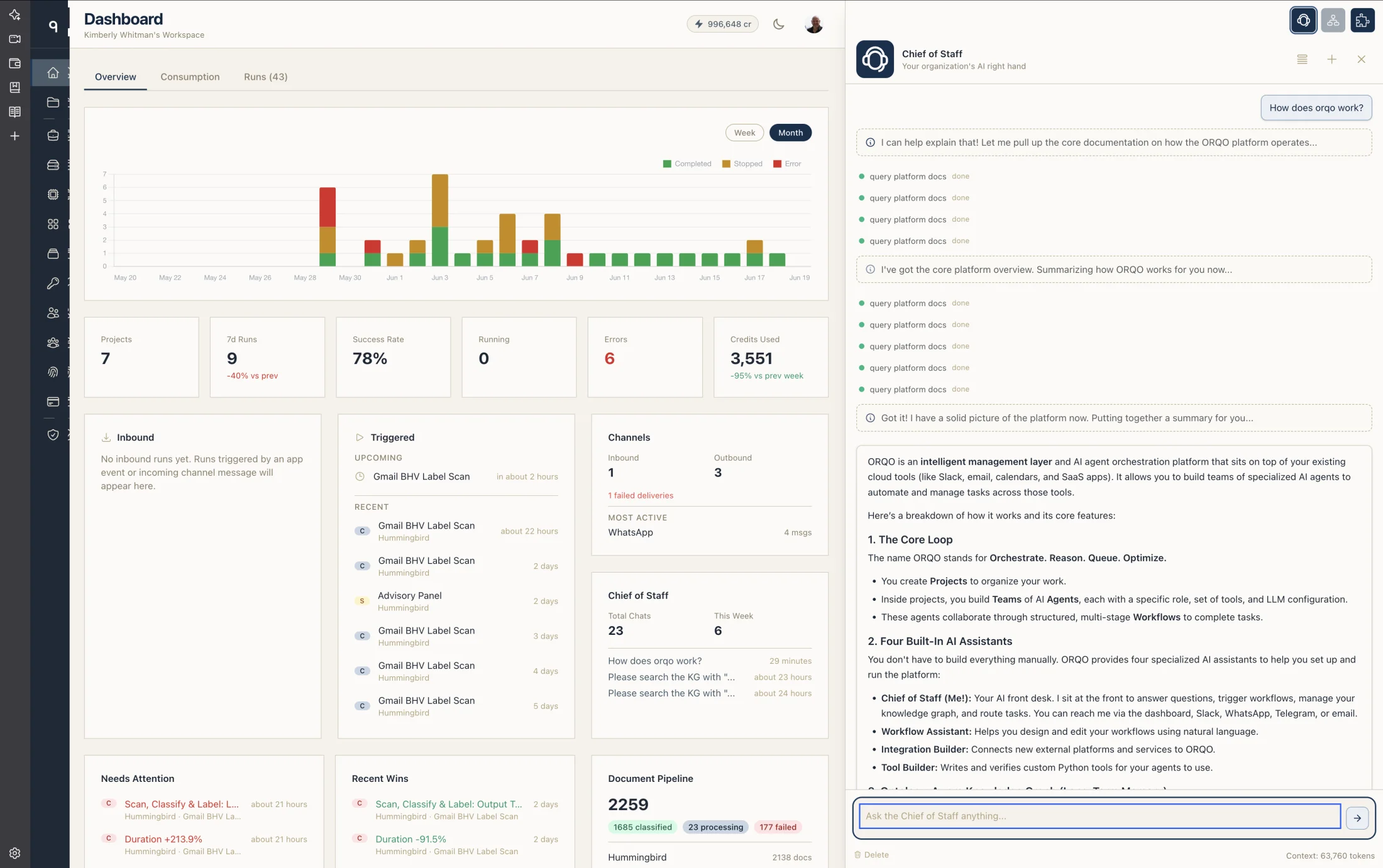
Your team already lives in the cloud — email, Slack, calendars, drives, ticketing, your SaaS stack. ORQO joins them as the intelligent management layer on top: an AI hub that reads, writes, decides, and routes across all of them. Connect a few services and the not-smart ones become smart. Cloud-native because that's where your tools already live.
Under the hood, you build teams of AI agents — each with its own perspective, tools, and LLM — that execute workflows (sequences of stages where agents collaborate). Design everything visually with drag-and-drop builders, or describe what you need in natural language. Everything lives in a project, with documents parsed and organized into a knowledge graph that grows as your workflows run. Every plan includes platform credits, so LLM calls work out of the box — no API key required to start. If you prefer, bring your own keys and credentials and ORQO routes calls through your provider account instead.
The Chief of Staff sits at the front: an AI front desk you reach via the dashboard, or via Slack, WhatsApp, Telegram, email, or API calls — wherever your team already works.
To our knowledge, ORQO is the only platform that fully covers all four properties of the Agent Standard — autonomy, social ability, reactivity, and pro-activeness. The sections below introduce what sets ORQO apart. Each links to a detailed reference page.
What Makes ORQO Different
1. AI-Generated Integrations on Demand
Most agent platforms ship a static catalog of pre-built integrations and tell you to wait if your service isn't in it. The ones that claim 3,000+ integrations usually rent that list from a third-party gateway — and the depth shows: a "WordPress integration" with two tools doesn't make a powerful platform smart, it just scratches its surface.
ORQO takes the opposite bet. Describe the service you want to connect — "Stripe for payment intents", "Notion for weekly reports", your company's internal ERP — and the Integration Builder researches the official SDK, picks the right shape (public MCP server, native Python tools, App + adapter), writes and verifies the code through the Tool Builder, bundles the result into an installable Skill, and ships it. On-demand, not on roadmap.
Even OAuth-bearing platforms work end-to-end: ORQO hosts the adapter for you. No infrastructure to provision, no separate service to deploy. (Developers building public integrations for the marketplace can choose to host their own adapter — but for in-house tools and one-off connections, ORQO handles it.)
The result is integrations with real depth, built to the actual surface of the platform — not catalog stubs.
Full details: Integration Builder
2. Ontology-Aware Knowledge Graph
Drop your project's PDFs, docs, and web pages into ORQO — or sync them from Google Drive, GitHub, or runtime sources — and the platform turns the lot into a navigable knowledge graph built on a deep ontology (~60 knowledge types, ~48 typed relations, classifying every unit by its epistemological function — orientation, explanation, action, reference, reflection).
Flip one toggle and you have a public chatbot that doesn't just match keywords against embeddings — it navigates the graph by relation type. "Walk me through how X works" follows → next and → deeper edges. "Why did this happen?" follows → cause and → why. "Compare A and B" walks both subgraphs and reasons about overlap. Vector search finds adjacent nodes; graph navigation finds the right ones.
The pipeline that fills the graph isn't a generic chunk-and-embed loader either. PDFs go through Vision OCR for faithful page snapshots; embedded images are extracted, classified (Diagram / Chart / Table / Formula / Image), and alt-texted by a vision model. Web pages and tool results pass through a Curator LLM that filters chrome and ads before anything reaches the graph. Office formats (DOCX, ODT, EPUB, HTML) are converted to GitHub-Flavored Markdown with images preserved inline at their exact position. Images are first-class knowledge carriers, not flat assets in a side folder.
Most platforms hand you document loaders that mechanically chunk text and embed it. ORQO parses document structure, treats embedded images as knowledge, curates everything through an LLM that understands what's valuable, and gives every agent the same structured navigation primitives.
Full details: Long-Term Memory | Knowledge Curator | Public Chatbot
3. AI Assistants
ORQO ships four AI assistants you can talk to in plain language:
 Chief of Staff — your AI front desk
 Workflow Assistant — builds and edits workflows
 Integration Builder — connects new platforms
 Tool Builder — writes verified Python tools
Each owns a different domain, and they share one chat drawer: a row of avatar icons in the header lets you pick the assistant you want with a single click, from any page. The drawer also pre-selects the assistant that fits the page you're on, so you usually don't have to choose. When a request crosses a domain boundary, the agent delegates (does one thing for you and continues the conversation) or hands off (transfers the chat to the right specialist with full continuity, separator and all).
The four assistants below are your personal helpers for building and running ORQO itself: they set up your projects, design your workflows, wire up integrations, and write your tools. They are not the agents that do the work inside a workflow.
Those workflow agents are something you (or these assistants) define — and there's no limit. A single project can have dozens or hundreds of specialized workflow agents, each with its own role, instructions, tools, and model. Think of these four as the team that helps you build your AI workforce; the workflow agents are the workforce.
Chief of Staff — Your AI Front Desk
The Chief of Staff is your always-available AI partner. Reach it through the ORQO dashboard, Slack, WhatsApp, Telegram, email, or direct API calls — wherever you already work. Messages, voice notes, and images land on the Chief of Staff; it responds directly, delegates to workflows, manages projects and documents, or routes to the right contact.
Because the Chief of Staff has full access to your project's knowledge graph, it answers detail questions you'd otherwise have to dig through paperwork to find: a specific clause in a long contract, a number from a months-old internal doc, the rationale behind a past decision. Ask from your phone, mid-meeting, mid-field — the answer is back in seconds. Voice in, voice out, on whichever channel you're already on.
Key capabilities:
- Real-time progress updates — You see "On it, one moment..." instead of silence while agents work
- Voice transcription — Voice messages from WhatsApp/Telegram are automatically transcribed
- Image vision and OCR — Images are seen by the LLM and text is extracted automatically
- Knowledge graph memory — Persistent memory across conversations, learning your organization's context over time
- Workflow orchestration — Trigger runs, monitor results, report back through the originating channel
Full details: Chief of Staff AI
Workflow Assistant
Tell the Workflow Assistant what you want to automate — "Set up a weekly competitor analysis that researches three competitors, compares pricing, and sends a summary to Slack" — and it creates the workflow, adds stages, assigns agents, and wires in the right tools. While you talk, a live visual builder renders in the main view and updates as the Assistant edits the workflow stage by stage. If a tool, credential, or integration is missing, it hands the request to the Integration Builder.
Full details: Workflow Assistant
Integration Builder
Describe the platform you want to connect — "Stripe for payment intents", "Notion for writing weekly reports", your company's internal API — and Integration Builder runs a structured pipeline: surveys what you already have (to avoid rebuilding), researches the official SDK, picks the right shape (public MCP server, native Python tool, App/channel, or a bundle), delegates code to the Tool Builder, groups the result into an installable Skill, validates it through a railguard, and optionally publishes it to the marketplace — privately, via shareable link, or publicly. Integration Builder never writes Python itself — it hands complete specifications to the Tool Builder and waits for verified results.
Full details: Integration Builder
Tool Builder
The Tool Builder turns natural-language specs into verified Python tools. Say "I need a tool that checks stock prices on Yahoo Finance" and it writes the code, runs it through the 5-phase verification pipeline, and wires it into your workflow. It's reachable through the Integration Builder when you're working on a full integration, or directly in the Developer Portal when you're polishing tool source. The Chief of Staff can drive the whole chain on your behalf — send a voice message from your phone and a new tool is live by the time you check back.
4. Open Integration Ecosystem
The on-demand integration story above is the path most users take. For developers who want to build, publish, and earn revenue from integrations, ORQO also runs an open marketplace — Shopify-model, not vendor-locked.
An App is a standalone HTTP service — in any language — that wraps an MCP server with the infrastructure a real-world integration needs: OAuth, webhooks, channel routing, delivery, and credential management. The entire registration is manifest-driven: your app serves a manifest.json, ORQO reads it, discovers MCP tools, creates credential placeholders, and the integration is live.
| Tier | Who builds it | Visibility |
|---|---|---|
| Platform | ORQO team | Ships with ORQO — Slack, WhatsApp, Telegram, etc. |
| Public | Any developer | Published in the marketplace, discoverable by all organizations |
| Private | Any developer | Registered directly with a specific organization |
All three tiers use the exact same infrastructure. ORQO's own platform apps go through the same manifest spec and HTTP contract as third-party apps — there is no privileged internal API. Most agent platforms handle integrations one of two ways: a closed library of vendor-built connectors (each an engineering burden) or raw tool definitions the user codes themselves. ORQO offers both the low-code path (ToolFactory tools, MCP servers) and a full ecosystem path where developers build productized apps — with manifests, setup wizards, pricing, and marketplace distribution. ORQO shares revenue with the developer, not the other way around.
5. Staged Workflows with Hooks
Workflows are not monolithic prompt chains. They are sequences of stages, each with its own agent assignments, task description, and execution scope. Stages enforce separation of concerns — research, analysis, drafting, review, and publishing happen in distinct steps with clear boundaries.
Each stage supports entry hooks and exit hooks — tools that run automatically when a stage begins or ends. Hooks are how you wire in setup, data fetching, validation, cleanup, and external side effects without burdening agents with infrastructure concerns. Exit hooks with blocking behavior serve as approval gates — the workflow pauses at a checkpoint until a human or external system responds, and the response drives outcome-based routing.
Stage starts
  ├─ Entry hooks fire (fetch metrics, load data, initialize runtime)
  ├─ Agents execute (heartbeat communication loop)
  ├─ Exit hooks fire (validate output, create summary, notify Slack)
  └─ Routing decides next stage (branch, loop, or continue)
Combined with outcome routing, stages turn linear workflows into adaptive pipelines that can branch, loop back for revision, or skip ahead based on what the agents produce.
Full details: Stages | Hooks | Routing
6. Dynamic Workflow Swarms
An agent inside a workflow can spawn subagents — lightweight parallel workers that execute independently and report back. Each subagent can trigger a full workflow of its own. Combined, this enables swarm orchestration: one agent decides at runtime how many workflows to launch and what each should do.
A competitive intelligence workflow, for example, might have a coordinator agent read a list of five competitors, spawn five subagents, and each triggers a "Competitor Research" workflow — resulting in 20+ agents working across 15+ stages in 5 parallel workflows, all initiated by a single run. Recursion depth limits (3 levels) prevent infinite chains while supporting practical composition.
Full details: Subagents & Swarms
7. Tool Factory — for the 2% who want to read the code
The platform is no-code first. In 98% of cases tools just appear: describe what you need to the Tool Builder and it writes the Python, runs verification, and the tool is live. You never see source.
The remaining 2% — developers building public marketplace integrations, teams auditing what the Tool Builder produced, anyone tweaking generated source — get a dedicated Tool Factory in the Developer Portal. You can write tool source by hand in the browser, declare typed parameters, attach credentials, and run the same 5-phase verification pipeline the Tool Builder uses internally. No separate service to deploy, no engineering ticket, no CI pipeline. If a phase fails, you see immediate feedback in the editor.
The factory exists for when you need to lift the hood — not as the path you're expected to take.
8. Mixed-Model Teams
Every agent in a team can run on a different model from a different provider. A director agent on Claude, analysts on GPT-4, researchers on Gemini, a local Llama instance for sensitive data — all collaborating in the same workflow, same stage, same conversation.
Under the hood, ORQO maintains a provider-agnostic context format that translates on-the-fly to any provider's API. An agent's perspective, skills, and behavior stay the same regardless of which model powers it. Swap models between runs to compare cost, speed, and quality without reconfiguring anything else.
Supported providers: OpenAI, Anthropic, Google, Ollama, and any OpenAI-compatible endpoint (e.g., OpenRouter) via configurable base_url.
9. Per-Agent Context Compaction
LLM context windows are finite. Most platforms handle this with a single catastrophic summarization — the context fills up, the system pauses to summarize everything at once, and the result treats a critical early decision with the same weight as routine chatter from five minutes ago. The agent loses its bearings.
ORQO takes a fundamentally different approach: progressive sliding-window compaction, managed independently per agent. Each agent has its own context and its own compaction schedule. A four-layer system compresses history continuously rather than in one catastrophic pass:
| Layer | What it does | AI-powered |
|---|---|---|
| Tool Result Truncation | Shrinks stale tool outputs based on age | No |
| Conversation Compaction | Relevance-scored messages: compress the relevant, drop the noise | Yes |
| Task-Transition Compaction | Creates clean boundaries between workflow stages so agents don't confuse previous-task context with the current one | Yes |
| Knowledge Graph Persistence | Routes relevant findings to permanent memory, available across all future sessions | Yes |
Each agent is assigned a compaction preset (Aggressive through None) that controls how frequently compaction fires and how many recent messages are always kept verbatim. The result: endless conversations without catastrophic forgetting. A model with a 1M token context window effectively handles the dense information equivalent of 3–4M uncompressed tokens — and with Layer 4, nothing of value is ever lost, even across sessions.
This is also what makes side conversations cheap (see #10) — only the two participating agents absorb the context cost, and each compacts independently.
Full details: Context Compaction
10. Structured Communication and Side Conversations
When a stage has multiple agents — a researcher, an analyst, and a writer collaborating, say — ORQO doesn't let them just take turns. It runs a structured turn cycle where every agent in a stage gets one turn per cycle, in assignment order. Each turn lets the agent chain multiple rounds of tool use — search, read results, search again, refine — all within a single turn before yielding the floor. At any point, an agent can break out into a side conversation — a private exchange that pauses the round table, lets two agents go deep, and resumes when they're done:
Cycle 1:  Agent A → Agent B → Agent C
             └─ Agent A: web_search → reads results → web_search (refined) → shares findings
                (3 iterations within one turn, then shares findings)
Cycle 2:  Agent A → Agent B → Agent C
Cycle 3:  Agent A sends direct message to Agent C
             └─ Side conversation: A ↔ C (round table paused)
                  A: "The dataset from Stage 1 has duplicates — can you verify?"
                  C: runs dedup tool, reports back
                  C: closes side conversation
             └─ Summary shared with Agent B
          Agent B → Agent C (round table resumes)
Cycle 4:  Agent A → Agent B → Agent C
...until all agents signal done
Two agents can step aside for a focused exchange about a specific sub-problem — without distracting the rest of the team. This keeps multi-agent stages efficient and costs down, because only the agents involved spend tokens on that exchange. Most workflows run with one agent per stage; this mechanism is there when you need it.
Full details: Communication Flow
11. Self-Optimizing Workflows
Every workflow run produces metrics: outcome, duration, token usage, tool calls, and iteration count — tracked per stage, per agent. Every configuration change is versioned as an immutable snapshot, so you can diff any two versions of a workflow.
An AI reflection agent compares runs across versions, detects patterns, and surfaces actionable recommendations along two optimization axes:
| Axis | What it measures | Example insight |
|---|---|---|
| Process Efficiency | Token cost, duration, error rate | "Stage 3 uses 40% more tokens since the prompt change in v12 — consider reverting" |
| Outcome Quality | Acceptance rate, revision count, validation results | "Adding the reviewer agent in v8 reduced revision requests by 60%" |
Other platforms execute workflows. ORQO learns from them. You get hard numbers proving whether a change made things better or worse, and AI-driven suggestions for what to change next.
12. Fully Managed — With an Enterprise Option
ORQO is a two-layered service: the dashboard you interact with to configure projects, teams, and workflows, and the execution backend that runs your agents, manages their context, makes LLM calls, and routes results. As a fully managed platform, both layers run in ORQO's cloud — no infrastructure to provision, no containers to manage, no servers to maintain.
LLM calls work two ways, your choice:
- Platform credits (default) — every plan includes them. You don't need to set up a provider account, get a key, or wire up billing. Sign up and start building.
- Bring your own keys (optional) — if you'd rather use your own provider account for billing isolation, custom rate limits, or a specific provider relationship, register your API keys as credentials. ORQO encrypts them and routes calls through your account instead.
You can also mix the two — platform credits for some workflows, your own keys for others. This is the standard deployment for the vast majority of customers.
Enterprise: Split-Plane Deployment
For enterprise customers with strict data sovereignty requirements (banking, healthcare, government), ORQO offers an optional split-plane deployment:
| Plane | Where it runs | What it does |
|---|---|---|
| Control Plane | ORQO SaaS | UI, workflow builder, project management, billing |
| Data Plane | Your infrastructure | Execution backend, database, MCP servers — all execution and data processing |
In this model, the control plane sends configuration down at deployment time. At runtime, all LLM calls, tool executions, and data processing happen inside your environment — the SaaS layer remains data-blind. This is the strongest possible data sovereignty story for regulated industries.