Agents
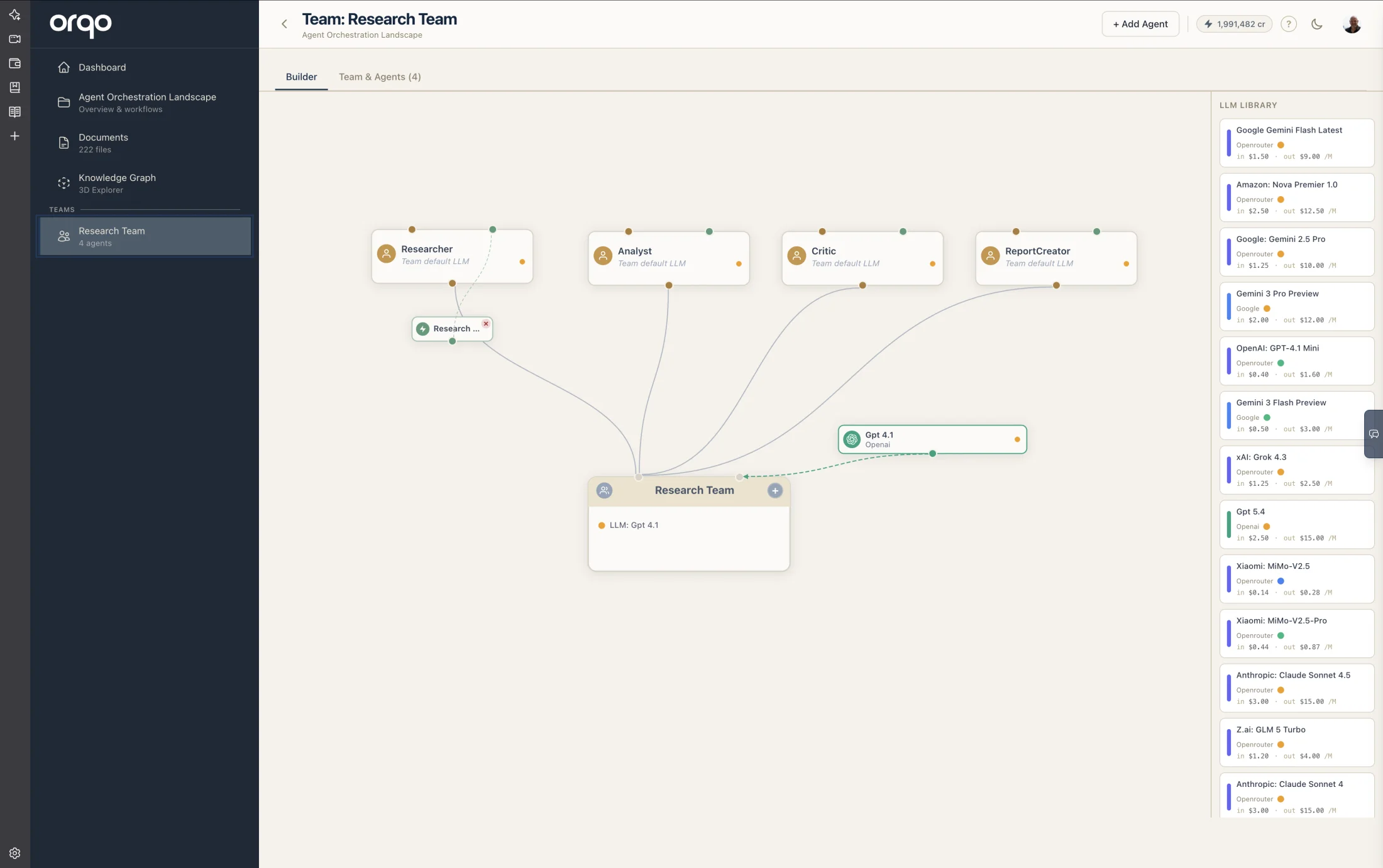
An agent is an individual AI worker within a team. Each agent has a unique identity, a perspective that shapes its behavior, and configuration that controls how it interacts with LLMs, tools, and other agents during workflow execution.
System Prompt Assembly
The agent's system prompt is not something you write as a whole. The platform assembles it at runtime from multiple independent sources:
| Component | Source | What you control |
|---|---|---|
| Perspective | Agent configuration | Yes — this is what you write |
| Self-description | Agent configuration | Yes — how the agent is introduced to teammates |
| Teammate descriptions | Other agents in the team | No — injected automatically so the agent knows who it's working with |
| Task directive | Stage assignment | Yes — the instruction for what to do in this stage |
| Stage context | Workflow runtime | No — current stage info, conversation history, prior results |
| Tool descriptions | Assigned skills + stage tools | No — injected automatically so the agent knows what tools it can use |
This separation means each component stays focused. The perspective defines who the agent is. The task directive defines what it should do. Teammate descriptions tell it who else is here. The platform combines them into a coherent prompt — you never need to repeat information across components.
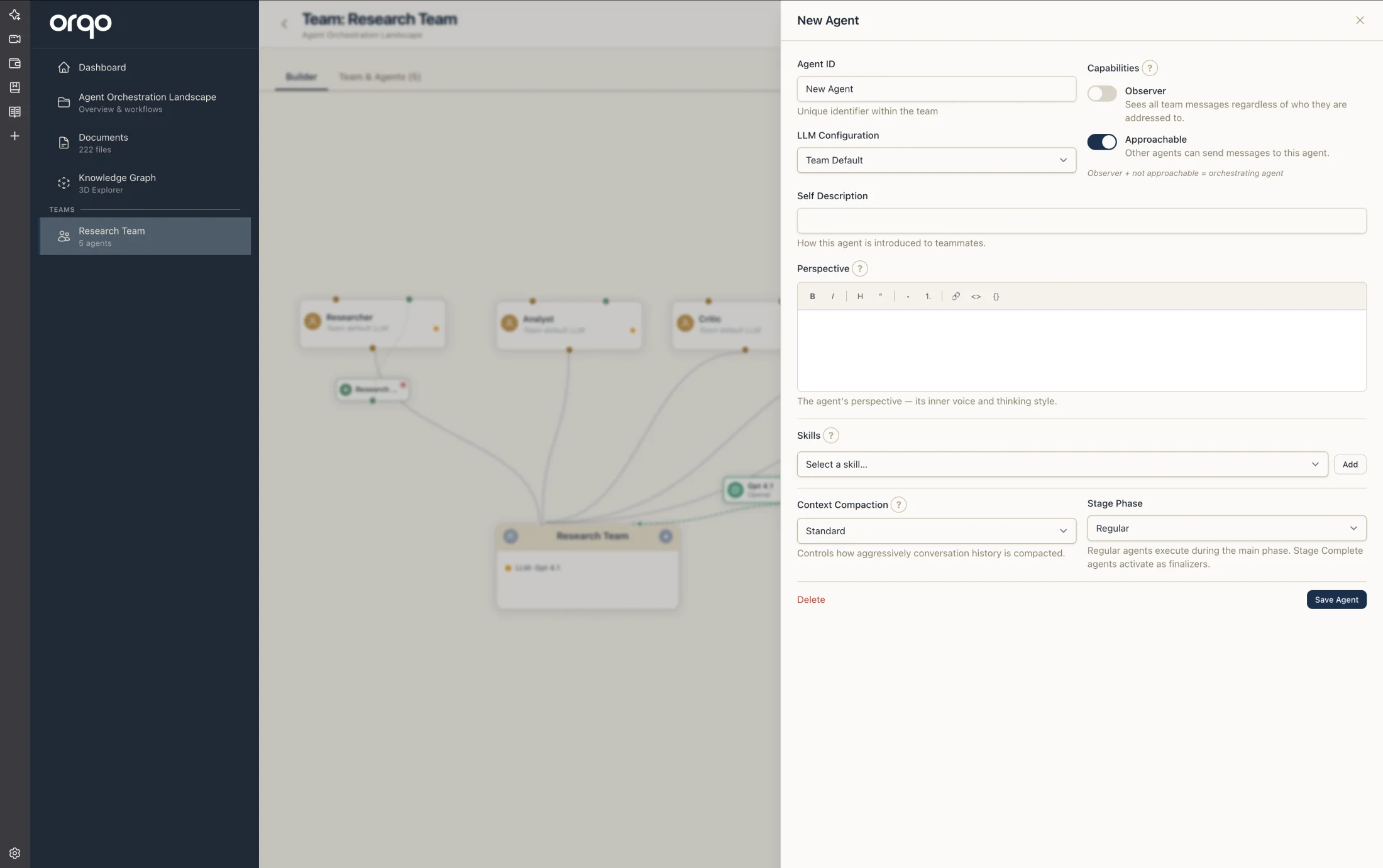
Agent ID
Every agent has an Agent ID — its unique identifier within the team. This is the name shown everywhere: the Team Builder, stage assignments, and run logs.
Use whatever naming style fits your project: Researcher, John, QA Lead, Housekeeper. There are no coding conventions — it's just a name that must be unique within the team.
The Agent ID must be unique within the team. Changing it after workflow runs have been recorded will break the link to historical run data.
Self-Description
The self-description is a short summary of the agent's purpose. Other agents in the team can see this description, which helps them understand who they are working with and what each team member specializes in. Keep it concise -- one or two sentences that capture the agent's core competency.
Perspective
The perspective is the agent's own understanding of itself — its voice, thinking style, and approach to work. Write it as the agent's inner voice: how it sees itself, what it cares about, how it approaches problems.
Coming from another framework? What ORQO calls an agent's Perspective is what some other agent frameworks call its “Soul” — the same idea: the agent's character, voice, and inner sense of self.
Effective perspectives are:
- Specific -- "You are a senior data analyst specializing in customer churn metrics" is far better than "You analyze data."
- Action-oriented -- Describe what the agent should produce, not just what it knows.
- Scoped -- Define clear boundaries. What should this agent focus on? What should it leave to other agents?
- Personal -- Write it as how the agent sees itself. You don't need to describe teammates, tools, or the task — those are injected automatically.
The perspective is not the system prompt. It is one component of it. See System Prompt Assembly above for how the platform builds the full prompt.
Capabilities
The Capabilities panel groups three behavioral toggles that control how the agent participates in team conversations.
Observer
When observer mode is enabled, the agent sees all messages exchanged between teammates — regardless of who they are addressed to. Observer agents do not actively participate in conversations unless explicitly addressed.
Use observer mode for agents that should:
- Monitor quality without interrupting the workflow
- Provide specialized input only when asked
- Act as a safety check or reviewer that watches but does not drive the conversation
Live Monitoring
Live monitoring is only available on observer agents. When enabled, the observer gets a review turn after each agent's action — its conversation messages are streamed in real time to the workflow run event log. This is useful during development and debugging: you can watch the agent think, call tools, and produce output as it happens.
Disable live monitoring for production workflows to reduce event log noise and improve performance.
Approachable
The Approachable toggle controls whether other agents can send messages to this agent during multi-agent conversations. When disabled, the agent can still produce output but cannot be addressed by teammates.
Orchestrating Agent Pattern
An agent that is Observer + not Approachable acts as an orchestrating agent: it sees everything but cannot be interrupted. This is useful for supervisory agents that coordinate work without being pulled into conversations.
Context Compaction
Each agent has a compaction preset that controls how aggressively the platform manages conversation history. The compaction system uses a four-layer architecture — tool result truncation, relevance-based conversation compression, task-transition summaries, and knowledge graph persistence — to keep agents within their LLM's context window while preserving essential facts and decisions.
See Context Compaction for the full reference, including all four layers, preset details, per-agent conversation views, and compression examples.
Stage Phase
Each agent has a default stage phase that controls when it activates within a stage:
| Phase | When It Runs |
|---|---|
| Regular | Active throughout the stage — the main working phase. Most agents use this. |
| Stage Start | Runs once at the beginning of the stage, before regular agents. Use for setup, data fetching, or initialization. |
| Stage Complete | Runs once when the stage finishes, after regular agents. Use for cleanup, summarization, or validation. |
The phase set on the agent is the default used whenever the agent is assigned to a stage. Individual stage assignments can override this.
Field Reference
| Field | Required | Default | Description |
|---|---|---|---|
| Agent ID | Yes | -- | Unique identifier within the team |
| Self-Description | No | -- | Short summary visible to other agents |
| Perspective | No | -- | The agent's inner voice and thinking style |
| LLM Configuration | No | Team default | Agent-specific LLM (overrides team default) |
| Observer | No | Off | Sees all team messages regardless of addressing |
| Live Monitoring | No | Off | Observer gets a review turn after each action (requires Observer) |
| Approachable | No | On | Whether other agents can address this agent |
| Compaction Preset | Yes | Standard | Context window management strategy |
| Stage Phase | Yes | Regular | When the agent activates within a stage |